
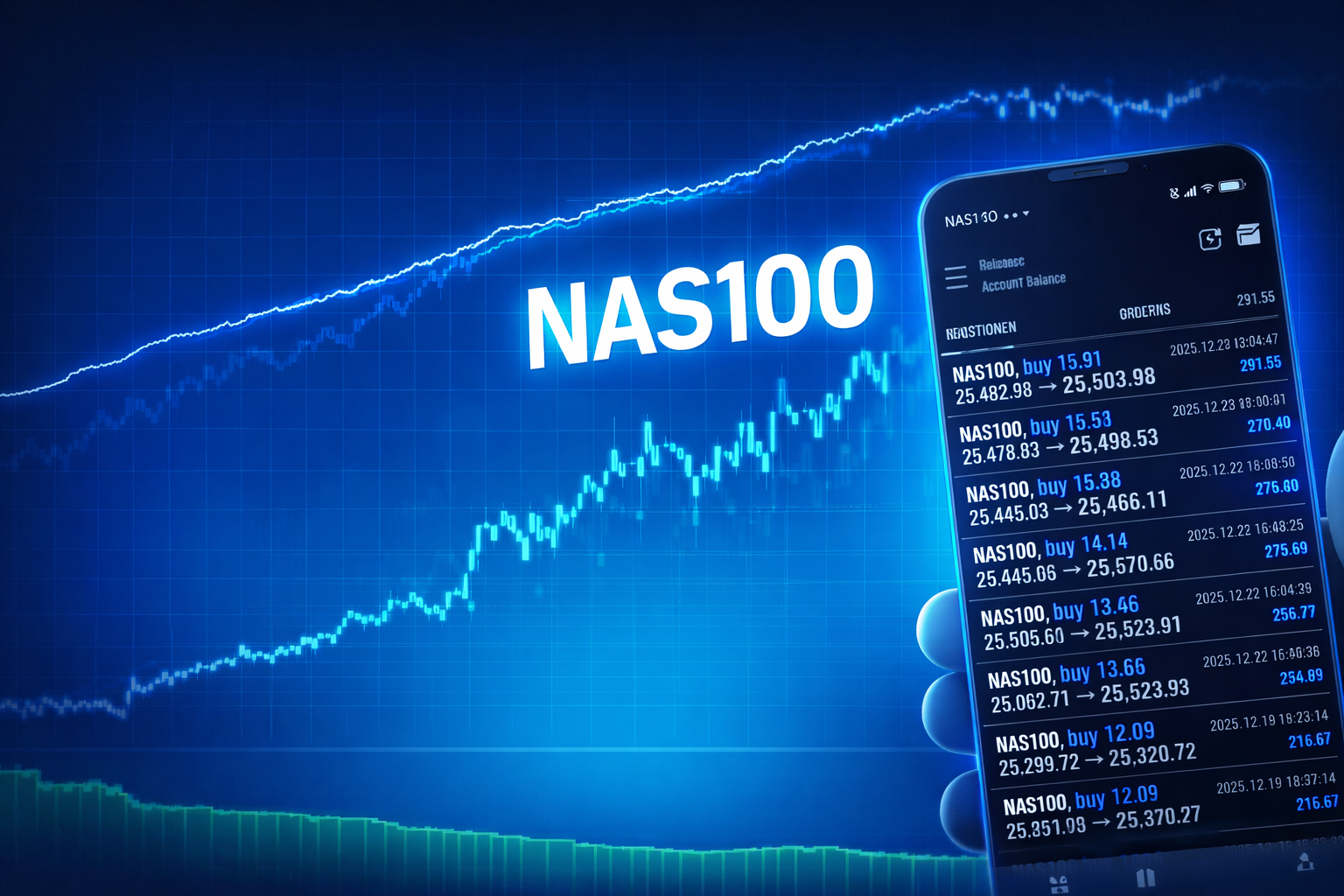
AI Trading Signals for MetaTrader 5 (MT5)
AI trading signals via WebSocket — your MT5 EA executes trades automatically.
AI that doesn’t just analyze — it trades.
With Xennics, you use AI trading models that automate trade execution and connect directly to MetaTrader 5.
You install our MT5 Expert Advisor (EA), connect it to the platform — and the AI delivers clear trading signals that the EA automatically executes. No manual clicking, no guesswork: the AI trades — you stay in control.
Performance
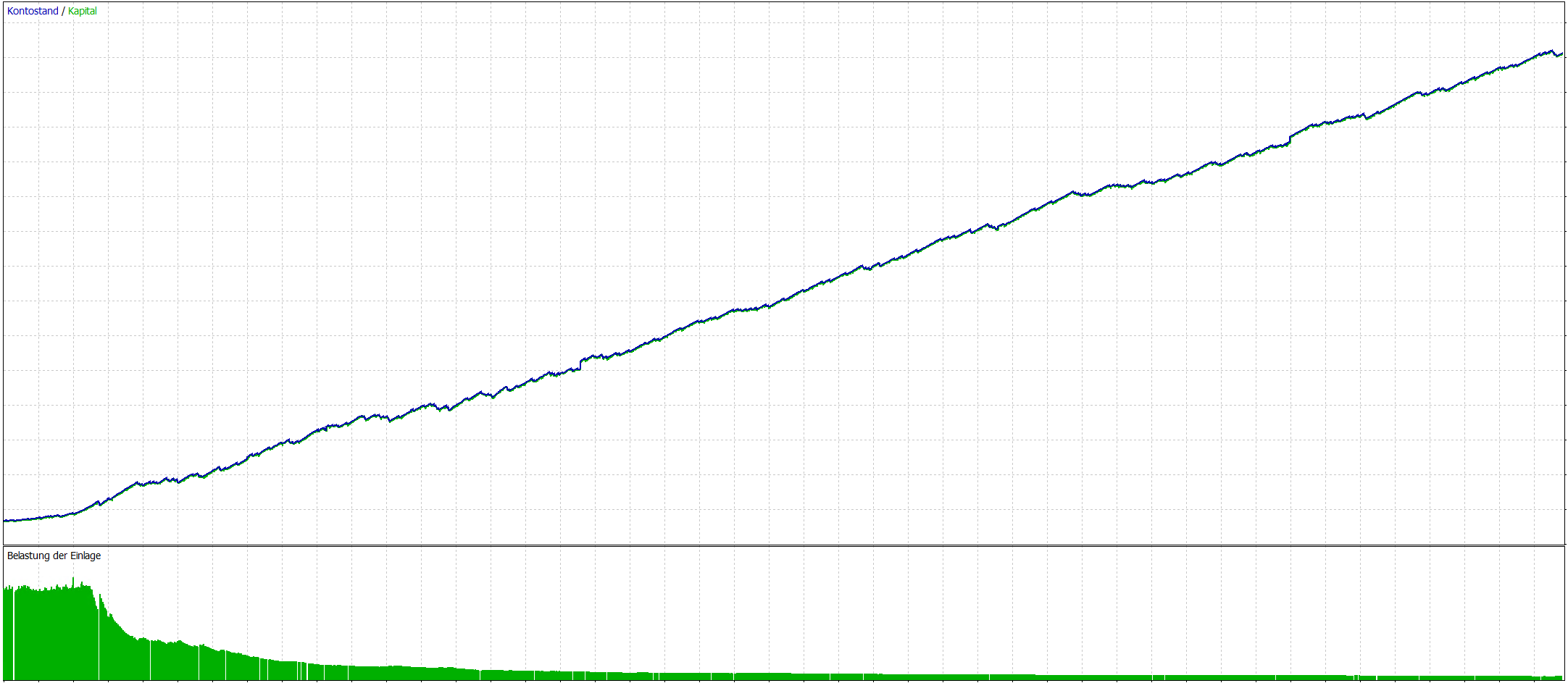
An overview of the historical performance (2025 backtest). This presentation is for illustrative purposes and may differ from live results.
Profit Factor: 1.84 - 2.42
Drawdown: 7.12 - 15.97
Success rate ≈ 83%
Drawdown: 7.12 - 15.97
Success rate ≈ 83%
Prerequisites
For the AI to trade fully automatically, you need the following:
Broker Account
You need a trading account with a broker, Fusion Markets or IC Markets.
Account type: Classic Account / Standard Account (fixed spread).
Leverage: 1:500.
Account type: Classic Account / Standard Account (fixed spread).
Leverage: 1:500.
MetaTrader 5
Installed MetaTrader 5 on a PC/VPS to run the Expert Advisor (EA).
Recommendation: a VPS with at least 2 GB RAM.
Recommendation: a VPS with at least 2 GB RAM.
Install the EA
You can download the AI EA from the customer area.
Install it in MT5 and connect it to xennics.com to receive trading signals.
Install it in MT5 and connect it to xennics.com to receive trading signals.
Subscription Selection
To keep subscription prices reasonably fair for all traders, they are calculated based on the traded volume.
Subscription Price Calculation
Choose your capital. The subscription price is based on volume, so it stays fair for all traders.
Note: The AI EA features automatic lot size adjustment based on equity.
If your subscription does not cover the required capital size, this automatic lot size adjustment will be disabled.
Note: The AI EA features automatic lot size adjustment based on equity.
If your subscription does not cover the required capital size, this automatic lot size adjustment will be disabled.
Higher capital / larger lot sizes? We’re pleased to offer you an attractive special offer..
Pricing Tiers
Transparent
Volume-based
How it works
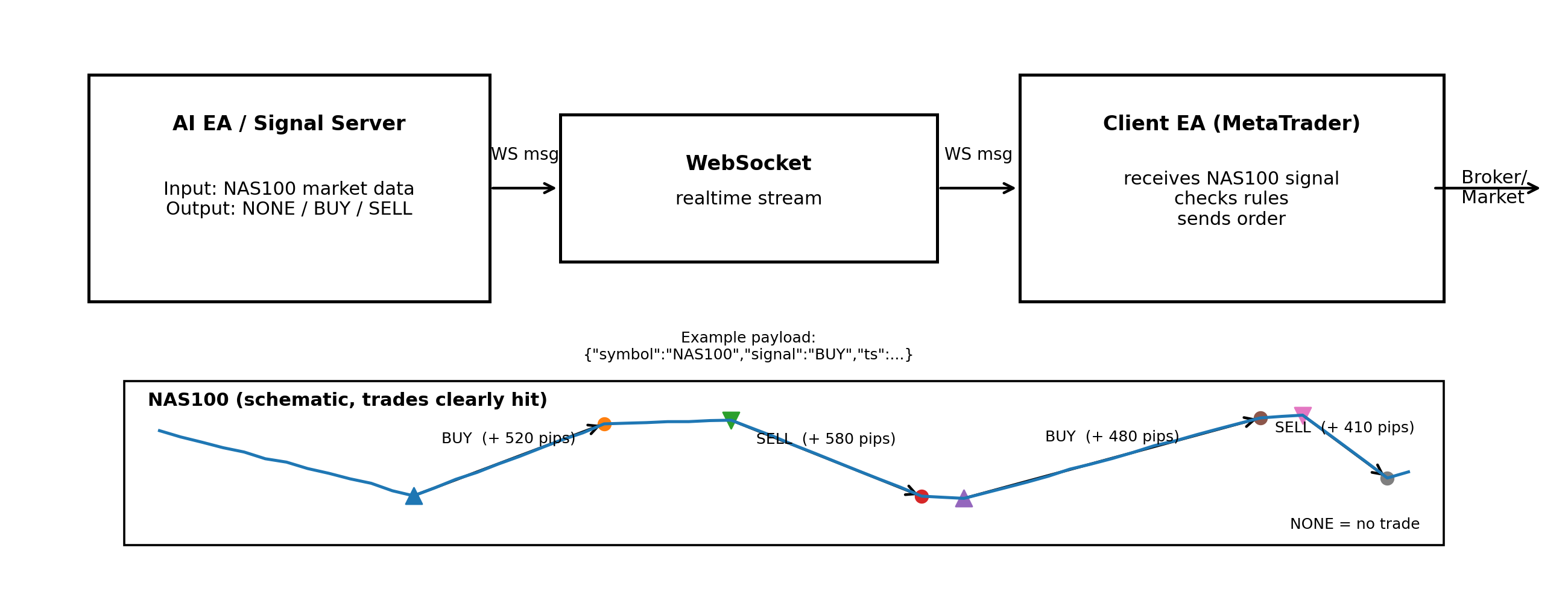
The AI signal server analyzes NAS100 in real time and sends a signal via a secure WebSocket connection: NONE, BUY, or SELL.
Your MetaTrader EA receives the signal, checks your settings (e.g., lot size, risk, trading hours), and—if allowed—executes the trade automatically.
Minimum requirements
Windows 11 or Windows Server 2022 (and newer).
Risk Warning
Trading leveraged products (e.g., CFDs) involves a high level of risk and may result in the partial or complete loss of your invested capital.
Past performance and backtests are not a reliable indicator of future results.
Xennics provides software and trading signals and does not offer investment advice. Use is at your own risk. Factors such as broker execution, slippage, latency, account settings, and market conditions can significantly affect results.
Xennics provides software and trading signals and does not offer investment advice. Use is at your own risk. Factors such as broker execution, slippage, latency, account settings, and market conditions can significantly affect results.